Quick Answer
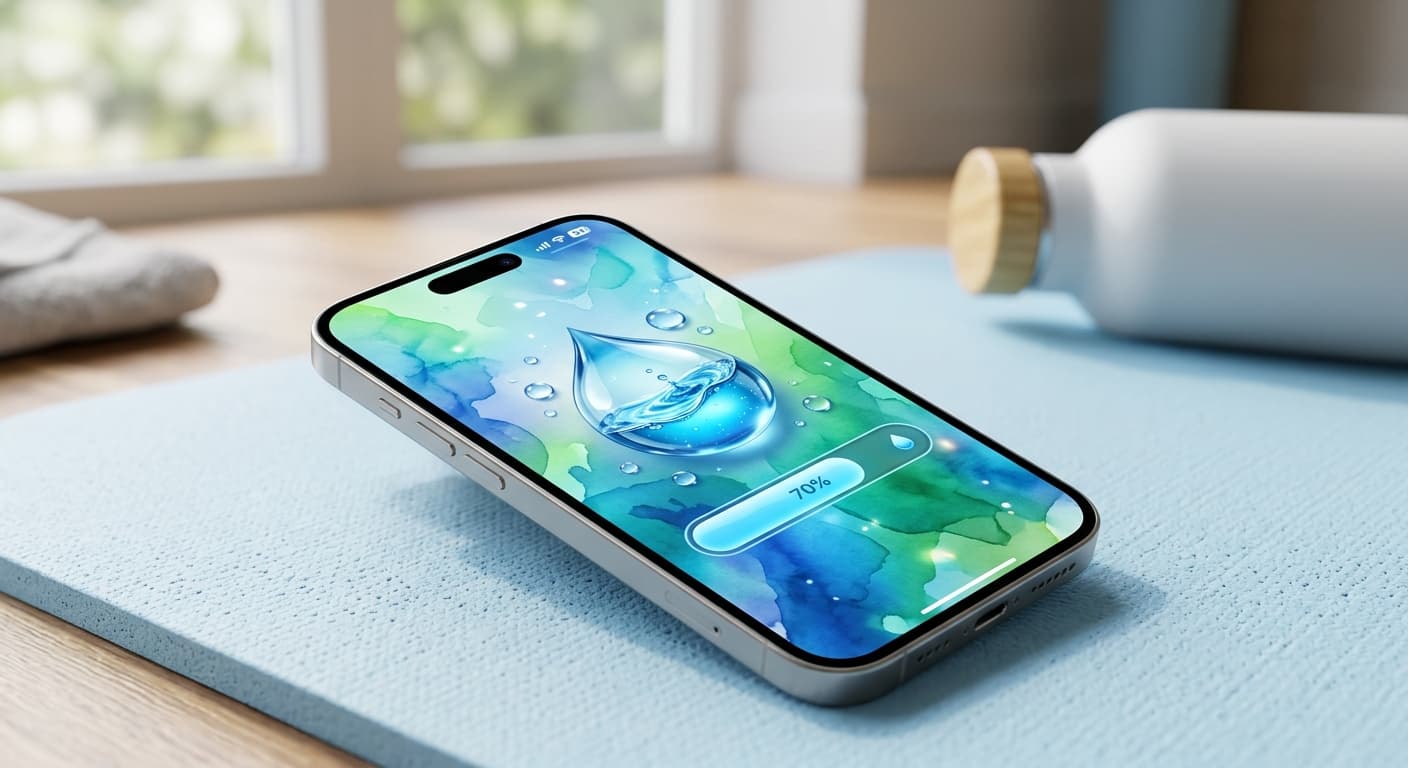
Yes! In 2026, you can easily get a water reminder on your iPhone Lock Screen using native iOS widgets (Apple Health), powerful Apple Shortcuts automations, or dedicated third-party apps with Live Activities. These methods offer personalized nudges and glanceable progress to keep you hydrated without constant app openings.
Introduction: Why Hydration is Crucial (and Why We Forget)
Ever find yourself hitting 3 PM, feeling that familiar brain fog, and realizing you've barely touched water all day? You're not alone. Consistent hydration is the unsung hero of energy, focus, and overall well-being. It fuels your brain, lubricates your joints, and keeps your system running smoothly. Yet, in our fast-paced lives, drinking enough water often slips to the bottom of the priority list.
We check our phones an average of 352 times a day, according to Asurion research. Imagine if each glance could double as a gentle nudge towards a healthier habit. That's the power of your 2026 iPhone Lock Screen.
It's time to leverage the device glued to your hand into a proactive wellness coach. Your iPhone Lock Screen in 2026 isn't just for checking time; it's the ultimate passive reminder tool for mastering your hydration goals.
The Power of Your 2026 iPhone Lock Screen: A Command Center for Wellness
iOS has evolved dramatically, and by 2026, your Lock Screen is a dynamic information hub. From the customizable widgets introduced in recent iOS versions to persistent Live Activities and enhanced always-on displays, it’s designed for glanceable, distraction-free updates. This makes it perfect for health goals, delivering crucial information without forcing you into an app or breaking your flow.
Method 1: Native iOS Integration – Leveraging Apple Health & Lock Screen Widgets
Your iPhone comes packed with powerful tools for health tracking. Start with Apple Health:
Set Hydration Goals in Apple Health: Open the Health app, navigate to the 'Browse' tab, search for 'Water,' and set your daily intake goal. The app will prompt you to log water throughout the day.
Add the Hydration Widget: On your Lock Screen, long-press to customize. Tap 'Customize' at the bottom, then 'Lock Screen'. Tap the widget area below the time (+ button) and add the 'Health' widget, specifically selecting the one that displays your water intake progress. This puts a clear water reminder on your iPhone Lock Screen.
Customize Appearance: Tailor the widget to show numerical progress, a visual bar, or a simple reminder icon. Make it your own!
Use Siri for Quick Logging: A quick 'Hey Siri, log 8 ounces of water' effortlessly updates your Apple Health data without a tap.
For more ways to supercharge your Lock Screen, check out our guide on How to Put Reminders on Lock Screen iPhone: The Ultimate Guide.
Method 2: Advanced Customization with Apple Shortcuts & Automation (2026 Edition)
Apple Shortcuts in 2026 are more intelligent than ever. You can build personalized automations that go far beyond simple reminders.
Create a 'Drink Water' Shortcut: Open the Shortcuts app. Create a new shortcut that logs a specific amount of water to Apple Health. You can then add this shortcut to your Lock Screen as a quick action button (if available on your iOS 2026 version) or access it via Siri.
Build Personal Automations: Set up automations to trigger hydration prompts. For instance, 'When I arrive at work, remind me to drink water,' or 'Every 90 minutes between 9 AM and 5 PM, send a notification to drink water.' You can even make them activity-triggered – 'After my Apple Watch detects a workout, send a water reminder.'
Smart Reminders: Leverage advanced shortcut actions to create 'smart' reminders that adapt. Imagine a shortcut that checks the local weather (if it's hot, remind you more frequently) or your calendar (if you have a long meeting, give a heads-up before). You can also use apps like NoteWall to display custom, persistent notes like 'Hydrate Now!' on your Lock Screen, triggered by a shortcut, giving you a highly visible water reminder on your iPhone Lock Screen.
Dive deeper into iPhone automation power with our guide: Unlocking Peak Efficiency: Master iPhone Shortcuts Automation in 2026.
Method 3: Top Third-Party Apps with Superior Lock Screen Integration (2026's Best)
While native tools are great, dedicated hydration apps often offer more robust features, gamification, and advanced tracking. Many have embraced iOS 2026's Lock Screen capabilities fully.
When choosing an app for a water reminder on your iPhone Lock Screen, prioritize those with excellent Lock Screen widgets and Live Activities. Key features include: customizable intervals, smart notifications, visual progress trackers, seamless Apple Health sync, and strong data privacy practices. Popular options in 2026 include WaterMinder, Plant Nanny, and Hydro Coach – all offering stellar Lock Screen integration.
Download Your Chosen App: Find your preferred hydration app on the App Store (e.g., WaterMinder: https://apple.co/48y4yan).
Set Up Goals & Preferences: Configure your daily water goal, reminder frequency, and notification preferences within the app.
Add App Widget to Lock Screen: Similar to Method 1, long-press your Lock Screen, tap 'Customize,' and select the app's widget. Many offer dynamic options, showing current progress, next reminder, or even encouraging messages.
For a broader look at powerful Lock Screen applications, explore our article on Unlock Productivity: The Best Lock Screen Apps for iPhone.
Optimizing Your Reminders for Maximum Impact & Minimal Friction
The goal is consistent hydration, not notification fatigue. Here’s how to make your reminders work for you:
Personalize Frequency & Tone: Adjust how often you receive reminders. Experiment with different tones or even silent haptic feedback. Sometimes a gentle vibration on your Apple Watch is more effective than a loud alert. You want a nudge, not a nag.
Integrate with iOS Focus Modes: Use Focus Modes to your advantage. Allow hydration reminders during your 'Work' or 'Fitness' Focus, but silence them completely during 'Sleep' or 'Personal Time.' This ensures relevance without interruption. Smart Focus Mode integration is key to sustainable habits.
Leverage Your Apple Watch: For seamless logging and haptic reminders, your Apple Watch is indispensable. It can prompt you based on activity, time, or even heart rate. Logging a drink is often just a tap away on your wrist.
Ultimately, make hydration a mindful habit. Use your Lock Screen as a trigger, then consciously take a sip.
Troubleshooting Common Issues: Ensuring Your Reminders Always Flow
Even the smartest tech can hit a snag. Here are quick fixes:
Widgets Not Updating: Ensure 'Background App Refresh' is enabled for the app (Settings > General > Background App Refresh). Check if the app has access to Apple Health data.
Notifications Not Appearing: Go to Settings > Notifications, find your hydration app, and ensure 'Allow Notifications' is on. Check for conflicts with active Focus Modes.
Syncing Issues: Restart your iPhone and Apple Watch. Disconnect and re-pair your Apple Watch if issues persist. Verify both devices are running the latest iOS/watchOS.
Beyond the Lock Screen: A Holistic Approach to Hydration & Wellness
Your Lock Screen is just one piece of the puzzle. Regularly review your Apple Health dashboard for deeper insights. See how consistent hydration impacts your activity levels, sleep quality, and overall energy. Connecting these dots helps reinforce the habit. Embrace this smart technology to build a truly holistic wellness routine.
For a complete strategy on integrating your iPhone into your health journey, explore our pillar guide: Achieve Your Goals: The Ultimate Guide to Goal Tracking on iPhone.
Conclusion: Empowering Your Hydration Journey with Your iPhone
In 2026, your iPhone is far more than a communication device. It's a powerful ally in your quest for better health. By mastering its Lock Screen features – from native Apple Health widgets and intelligent Shortcuts to robust third-party apps – you can integrate a persistent, personalized water reminder on your iPhone Lock Screen into your daily life.
Stop letting dehydration drain your energy and focus. Take control of your wellness with these smart strategies. Your future, more hydrated self will thank you.
Need a Simple, Quick Note on Your Lock Screen?
While full hydration apps are great, sometimes you just need a straightforward, custom reminder. NoteWall lets you put quick, personalized notes directly on your Lock Screen. Perfect for a 'Drink Water!' prompt that's always visible.
Get NoteWall Now
Karol Billik
Founder of NoteWall. Building tools that turn your lock screen into a productivity system.
You might also like
Never Miss a Dose: Your iPhone Lock Screen as a Smart Medication Reminder Hub in 2026
Transform your iPhone lock screen into an indispensable medication reminder hub in 2026. Leverage iOS features, AI-powered apps, and custom alerts for ultimate adherence.
Unlock Your iPhone Potential: Create a Personalized Lock Screen
Transform your iPhone lock screen into a personalized hub for motivation and organization. Learn how to customize your lock screen with widgets, photos, and more!
Future-Proof Your Memory: Unlocking Hyper-Personalized Lock Screen Reminders with iOS 2026 & AI
Master your memory in 2026 with cutting-edge iPhone lock screen reminders. Leverage iOS 2026 features, AI, and NoteWall for ultimate productivity.