Quick Answer
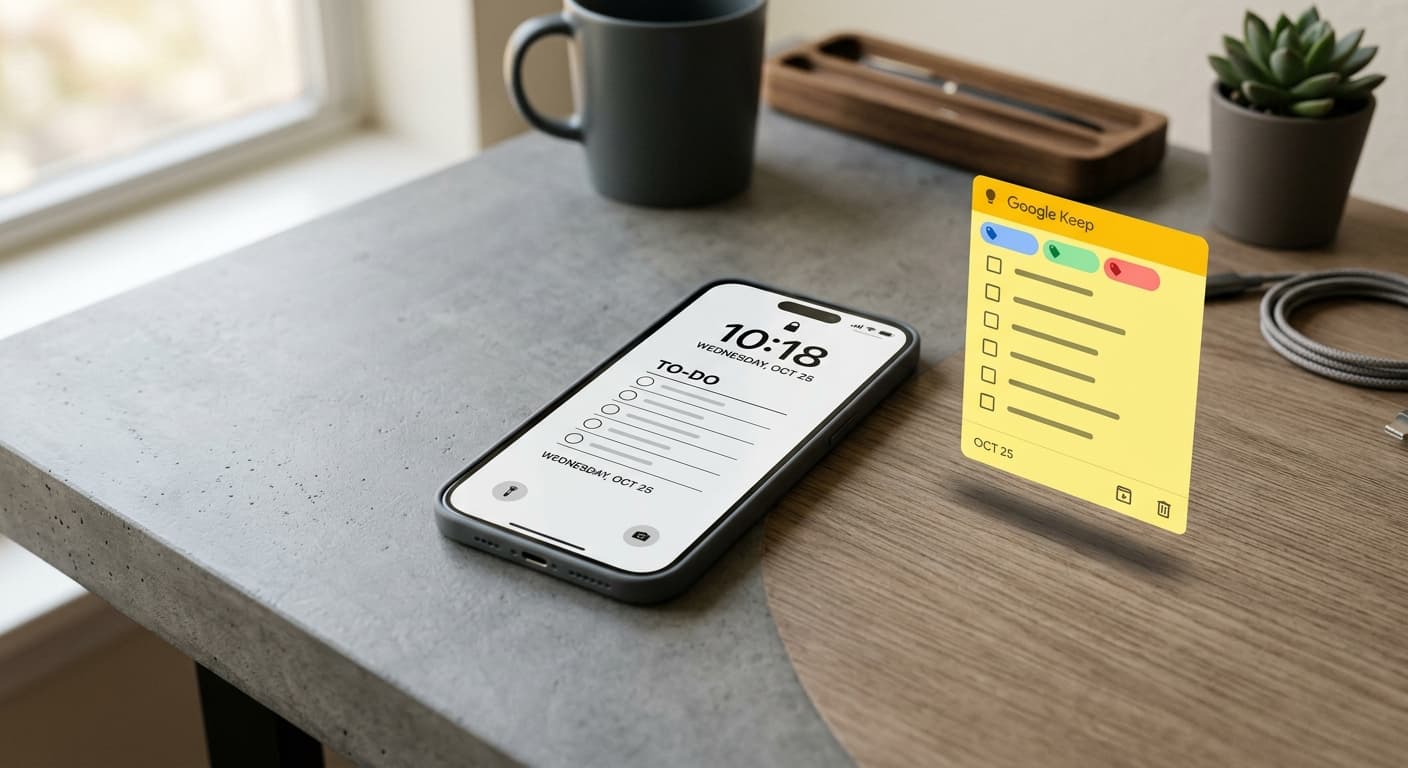
In 2026, choosing between Google Keep and Notewall for your iPhone hinges on your ecosystem preference. Google Keep excels for cross-platform users needing simple, synced notes across devices, ideal for the broader Google ecosystem. Notewall, however, offers unparalleled deep iOS integration, especially for Lock Screen notes via Shortcuts, perfect for privacy-focused Apple enthusiasts who prioritize seamless, native workflows and personalized reminders directly on their iPhone.
The 2026 Dilemma for iPhone Power Users
It’s 2026, and your iPhone isn't just a communication device—it's your command center. From managing smart home devices to driving complex AI interactions, everything now converges on your pocket-sized supercomputer. Yet, amidst all this advanced tech, one fundamental tool remains critical: the note-taking app. But with more options than ever, how do you choose the one that truly elevates your workflow without adding digital clutter? Today, we’re putting two major contenders head-to-head on the iPhone: Google Keep and Notewall. It’s the ultimate Google Keep vs Notewall iPhone showdown.
Why Your Note-Taking App Matters More Than Ever in 2026 (AI, Integration, Privacy)
Gone are the days when a note app was just a digital scratchpad. In 2026, a truly effective note-taking solution must contend with AI integration, seamless system-level integration, and, crucially, robust data privacy. Your digital assistant increasingly relies on the context you provide, and your notes are a goldmine of that information. The average user picks up their phone an astonishing 352 times a day, according to Asurion research—each pickup a potential moment for a quick note or reminder. Choosing the right app directly impacts your efficiency and focus.
Google Keep on iPhone in 2026: Strengths for the Cross-Platform Creator
Google Keep has long been a go-to for its colorful, intuitive interface and straightforward functionality. For the iPhone user who also navigates Android tablets, Windows PCs, and various web browsers, Keep's primary strength is its universal availability and seamless syncing across almost any platform. Need to jot down a grocery list on your iPhone, then access it instantly on your desktop? Keep delivers. Its simple labeling system and ability to convert notes into checklists make it perfect for quick captures and shared projects within the Google ecosystem. Plus, its integration with Google Assistant allows for easy voice note creation.
Google Keep on iPhone: Weaknesses & What It Lacks for Pure iOS Users
While its cross-platform nature is a boon for some, it's also Keep's Achilles' heel for dedicated iOS users. Keep often feels like a Google app on iOS, rather than part of iOS. Its integration with Apple's deeper system features—like advanced Shortcuts automations, Lock Screen widgets beyond basic display, or a truly native Share Sheet experience—can feel limited. For users deeply invested in the Apple ecosystem, this can translate to a less fluid workflow. Furthermore, for those prioritizing data privacy, Google’s overarching data collection practices remain a concern, even if Keep’s specific data usage is transparent.
Notewall on iPhone in 2026: Strengths for the Deep-Dive iOS Enthusiast
Enter Notewall. This app is purpose-built for the iPhone, leveraging deep iOS integration to fundamentally transform how you interact with your notes. Its standout feature is the ability to place notes and reminders directly on your Lock Screen via Apple Shortcuts. Imagine seeing your most crucial tasks or thoughts every time you glance at your phone, without even unlocking it. This isn't just a widget; it's a dynamic, customizable note that truly lives at the forefront of your device. Notewall excels at creating hyper-personalized workflows, making it ideal for everything from a simple to-do list to complex AI-driven reminders. Want to learn how? Check out our guide on how to put notes on your iPhone lock screen.
Notewall on iPhone: Weaknesses & Where It Might Fall Short
Notewall's primary limitation, for some, is its Apple-centric focus. It's not available on Android or Windows, meaning if you frequently switch ecosystems, you'll need a different solution for cross-platform note access. While its deep integration with Shortcuts is a massive strength, it also implies a slight learning curve for users unfamiliar with Apple's automation platform. For those who demand extensive rich text editing, handwriting support, or advanced direct collaboration features often found in more mature, general-purpose note apps, Notewall, in 2026, focuses more on its Lock Screen and Shortcuts power, with richer media capabilities still evolving.
Head-to-Head Feature Comparison (2026 Lens)
Let’s get into the specifics of this Google Keep vs Notewall iPhone comparison, feature by feature.
- User Interface & Experience (UI/UX) on iOS
Google Keep offers a distinct, colorful, sticky-note aesthetic, instantly recognizable. Notewall, conversely, boasts a cleaner, more native iOS look and feel, blending seamlessly with the operating system’s design language. For pure iOS aesthetics, Notewall has the edge.
- Note Creation & Rich Media Capabilities (Text, Voice, Images, Handwriting)
Keep supports text, checklists, voice notes, and images within notes. Notewall primarily focuses on text notes, leveraging iOS’s native capabilities for image and voice input via Shortcuts for advanced setups. Neither are full-fledged rich-text editors with extensive formatting or native handwriting support.
- Organization & Search Power (AI-assisted tagging, smart folders)
Keep uses labels, colors, and basic search. Notewall integrates deeply with iOS search, and its Shortcut-driven nature allows for incredibly powerful, customized organization and even AI-assisted tagging if you build the automations yourself using the latest iOS 2026 Shortcuts features. For example, you can create automations that automatically tag notes based on keywords.
- Collaboration & Sharing Features
Google Keep has robust, built-in real-time collaboration, making it excellent for shared lists and team projects. Notewall relies on the iOS Share Sheet, which is effective for sending notes but doesn't offer direct, real-time collaborative editing within the app itself. If team collaboration is paramount, Keep leads here.
- Deep iOS Integration (Widgets, Siri, Share Sheet, Lock Screen)
This is where Notewall truly shines. While Keep offers standard widgets and basic Siri integration, Notewall takes it further with unparalleled Lock Screen note integration via Apple Shortcuts, dynamic widgets that update with specific content, and full leverage of the Share Sheet for quick captures. It’s built to be part of your iPhone, not just on it. Want to master your iPhone's automation potential? Explore our guide to Master iPhone Shortcuts Automation.
- Cross-Platform Availability & Ecosystem Lock-in
Google Keep is the king of cross-platform, available everywhere. Notewall is exclusively for iOS, making it a pure Apple ecosystem play. This is a critical differentiator based on your device lineup.
- AI & Smart Features (Summarization, Transcription, Predictive Assistance)
Keep integrates with Google Assistant for quick voice notes and basic smart suggestions. Notewall, while not having built-in proprietary AI, allows you to integrate powerful AI features via Shortcuts. You can connect to third-party AI APIs for summarization, transcription, and predictive assistance, making it a highly customizable AI hub for notes, if you're willing to set up the automations.
- Privacy & Data Security Philosophy
Google Keep operates within Google’s broader data ecosystem, meaning your data is part of Google's cloud infrastructure. Notewall, designed with Apple's privacy principles in mind, often emphasizes local-first processing and privacy-focused data handling. For users deeply concerned about data privacy, Notewall aligns more closely with Apple’s philosophy.
- Pricing Model & Value Proposition
Google Keep is free, funded by Google’s advertising model. Notewall typically offers a freemium model with a premium subscription unlocking advanced features, justified by its dedicated iOS development and deep integration. Consider the value you place on privacy, native experience, and advanced customization.
For a deeper dive into how these apps stack up against other contenders in the note-taking world, explore our comprehensive App Comparisons guide.
Use Case Breakdown: Who Should Choose Which App?
- For the Google Ecosystem Aficionado
If you live and breathe Google, constantly jumping between Chrome, Gmail, and Android devices, Google Keep is your uncontested champion. Its cross-platform consistency and deep Google integration will streamline your workflow across all your devices.
- For the Dedicated Apple-First User
If your world revolves around your iPhone, iPad, and Mac, and you crave seamless, native experiences, Notewall is the clear winner. Its Lock Screen power and Shortcuts integration unlock a level of iOS productivity that Keep simply can’t match.
- For Quick Captures and Simple Lists
Both apps excel here. Keep's sticky-note style is perfect for rapid notes. Notewall's Lock Screen accessibility makes it even faster for those 'glance and go' moments without unlocking your device.
- For Advanced Project Management & Rich Content
Neither app is a full-fledged project management suite like Notion or Obsidian. However, for adding richness, Keep offers simple images and voice. Notewall, through clever Shortcuts integration, can connect to other powerful apps to manage complex content and tasks, making it a flexible hub.
- For Team Collaboration & Sharing
Google Keep's built-in sharing and collaborative editing features make it superior for team-based note-taking and shared lists.
The Verdict: Making Your Informed Choice for 2026 iPhone Productivity
The truth is, there’s no single 'best' app in the Google Keep vs Notewall iPhone debate. Your choice depends entirely on your priorities. Do you value universal access and simplicity across multiple operating systems, or do you prioritize a deeply integrated, privacy-conscious, and hyper-personalized iOS experience that puts your notes literally front and center? In 2026, where digital friction is the enemy of productivity, making an informed choice about your note-taking tool is more crucial than ever.
Future-Proofing Your Notes: What's Next for Digital Organization?
Looking ahead, we'll see even more advanced AI integration, context-aware reminders, and seamless connectivity between all your digital tools. Apps that can adapt and integrate with these evolving capabilities—whether through open APIs or deep system hooks—will define the next generation of productivity. Both Keep and Notewall have paths to this future, but they approach it from fundamentally different ecosystem philosophies.
Conclusion: Optimize Your Workflow, One Note at a Time
Ultimately, the best note-taking app for your iPhone in 2026 is the one that fits your unique workflow and values. If you're a multi-platform user seeking simplicity and Google ecosystem synergy, Keep remains a strong contender. But if you're an iPhone power user who demands deep iOS integration, Lock Screen presence, and the flexibility of Shortcuts for a truly personalized, privacy-aware experience, Notewall stands ready to redefine your productivity. Take control of your digital life—choose wisely.
Ready to Transform Your iPhone Productivity?
Experience unparalleled Lock Screen notes and deep iOS integration. Download Notewall today and unlock a new level of efficiency.
Download Notewall
Karol Billik
Founder of NoteWall. Building tools that turn your lock screen into a productivity system.
You might also like
Unlock Personalized Hydration: Your 2026 iPhone Lock Screen as a Smart Water Reminder Hub
Master intelligent hydration in 2026. Use your iPhone Lock Screen, Apple Health, Shortcuts, and top apps for personalized water reminders and seamless tracking.
Never Miss a Dose: Your iPhone Lock Screen as a Smart Medication Reminder Hub in 2026
Transform your iPhone lock screen into an indispensable medication reminder hub in 2026. Leverage iOS features, AI-powered apps, and custom alerts for ultimate adherence.

Your 2026 iPhone Lock Screen: The Ultimate Weight Loss Coach You Didn't Know You Had
Transform your iPhone lock screen into a dynamic, AI-powered weight loss motivator in 2026. Leverage iOS 19/20 features, widgets, and NoteWall for real-time progress & inspiration.