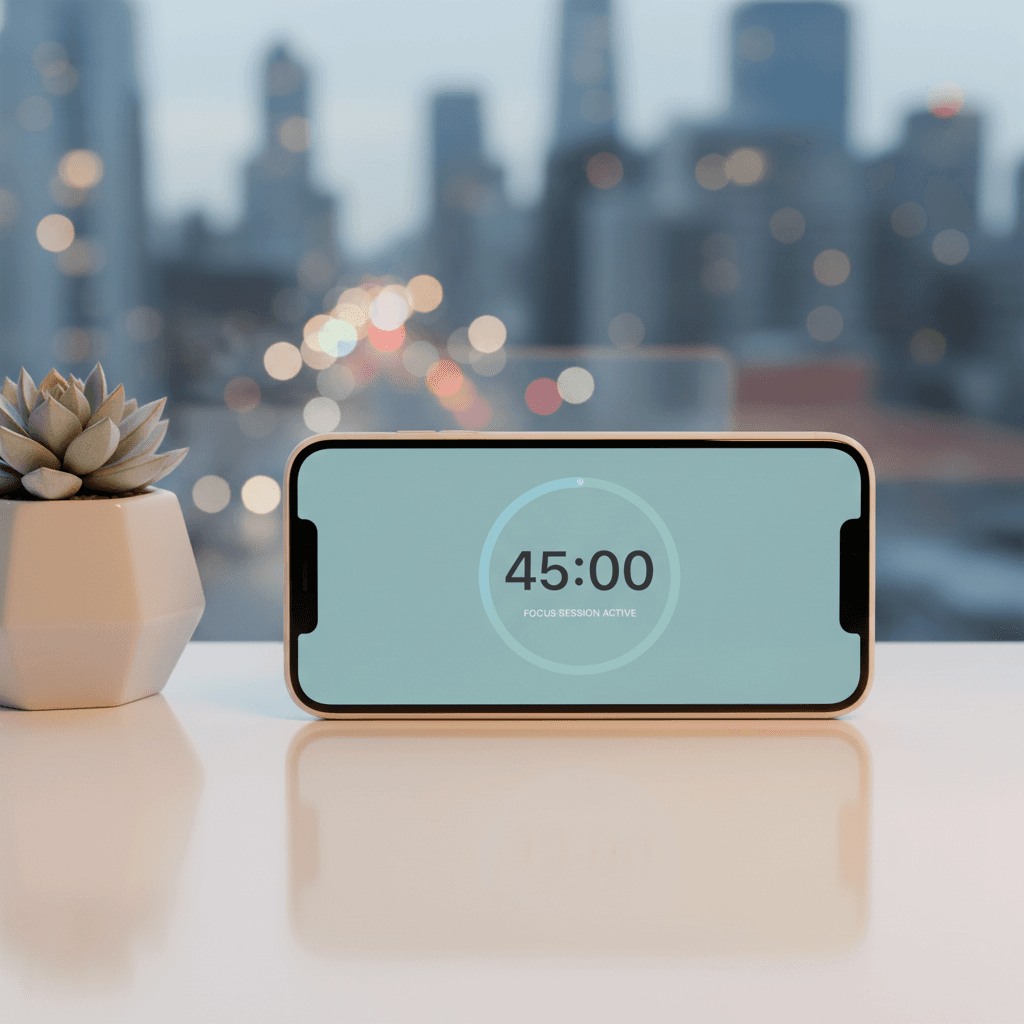
Quick Answer: Master Your Focus in 2026 with Smart iPhone Pomodoro Apps
The hyper-connected world of 2026 demands more than basic timers. To cultivate deep work, combat digital overload, and gain actionable insights, choose an AI-powered Pomodoro app with seamless Apple ecosystem integration (iOS 18/19, Siri Shortcuts, Apple Watch) and robust analytics. These intelligent tools personalize your focus sessions, block distractions, and help you understand your unique productivity patterns, transforming how you work and study.
Master Your Focus in 2026: The Evolution of Pomodoro iPhone Apps
In 2026, sustained focus is less a default state and more a superpower. Our digital landscape, while enabling unprecedented connectivity, constantly bombards us with notifications, pings, and an endless stream of information. The challenge of maintaining deep work is escalating, making effective time management tools more critical than ever.
Enter the Pomodoro Technique. Its core principles, developed decades ago, remain remarkably relevant: work in focused sprints, take short breaks, and reset. But a simple kitchen timer won't cut it in today's intelligent ecosystem. Pomodoro apps have evolved from basic timers into sophisticated, data-driven productivity partners. This guide will help you navigate the best AI-enhanced and seamlessly integrated pomodoro technique iPhone apps designed to help you thrive in the modern work environment.
Why Your 2026 Productivity Needs a Smart Pomodoro App
Forget generic timers. The leading Pomodoro apps in 2026 offer a suite of intelligent features that actively enhance your workflow:
Modern apps leverage AI to personalize your focus intervals, suggesting optimal break times based on your past performance, energy levels, and even biometric data. They learn from your unique work patterns, offering adaptive scheduling that truly fits you – not a rigid, one-size-fits-all model. This means more effective deep work and reduced fatigue. Achieving flow state is no longer guesswork. AI helps you get there faster.
The best apps don't just exist on your iPhone; they integrate deeply. Expect full leverage of iOS 18/19 features, enhanced widgets for quick starts and progress views, powerful Siri Shortcuts for automation, and robust Apple Watch compatibility for on-the-go control. Universal Control across your iPhone, iPad, and Mac ensures your focus state and tasks sync effortlessly, creating a cohesive, distraction-free workflow. For quick notes and reminders to kick off a Pomodoro, apps like NoteWall can even integrate with Shortcuts to display crucial info right on your lock screen, keeping your task top-of-mind without opening the app.
Move beyond simple time tracking. These apps provide sophisticated reporting that helps you understand your peak productivity times, identify focus trends, and pinpoint areas for improvement. Visual dashboards show you exactly where your time goes, helping you make data-backed decisions to optimize your schedule.
The average person picks up their phone 352 times a day, according to Asurion research. Smart Pomodoro apps combat this by actively creating a deep work environment.
Today's apps go further than just timing. They offer true distraction blocking, intelligent notification management, and features designed to cultivate a 'deep work' environment. Many even integrate ambient sounds or haptic feedback to guide your focus, helping you reclaim your attention and prevent burnout. For more on this, check out our guide on Reclaiming Your Attention: Proactive Digital Well-being for the Hyper-Connected 2026 User.
Key Criteria for Choosing Your 2026 Pomodoro App
When sifting through the options, prioritize these elements:
Intuitive UI/UX & Customization: Look for adaptive interfaces, dark mode, haptic feedback, and personalized themes that support your focus, rather than distracting from it.
AI & Smart Automation: Does the app offer predictive scheduling, adaptive timers, or task prioritization suggestions? This is where true intelligence shines.
Integration Prowess: Seamless linking with calendars, task managers, health apps (for mindfulness/breaks), and collaborative tools is non-negotiable for a smooth workflow.
Analytics & Reporting: Can you visualize progress, identify patterns, and set data-backed goals with clear, actionable insights?
Privacy & Security: Understand the app’s data handling policies. Look for local storage options and user control over your information, especially when sharing productivity data.
Pricing Model & Value: Evaluate subscription vs. one-time purchases. Many offer robust free tiers, but premium features often provide invaluable long-term value.
Cross-Device Compatibility: Ensure optimizations for Apple Watch, iPad, and Mac for a true mobile-to-desktop workflow.
The Best Pomodoro Technique iPhone Apps for 2026 (Categories)
While specific app names emerge and evolve rapidly in the 2026 tech landscape, understanding the categories of pomodoro technique iPhone apps will guide your choice. When you search the App Store, look for apps that exemplify these characteristics:
Consider an app that serves as an Overall Champion if you need comprehensive features, top-tier AI, and exemplary Apple ecosystem integration across all devices. For those who prefer a Minimalist approach, seek apps with clean designs that offer essential intelligent features without overwhelming complexity. Data Enthusiasts should prioritize apps with in-depth analytics, customizable reports, and goal forecasting. If you need a boost for Gamified Focus & Motivation, look for unique mechanics like digital 'tree' growth, community features, or progress streaks.
Many excellent Free/Freemium Options offer a great starting point with essential AI functions and a clear upgrade path for advanced features. Finally, if you're part of a team, some apps offer Collaborative & Team Use features like shared timers and project-based tracking, though these are less common for personal Pomodoro apps.
Maximizing Your Pomodoro Success in 2026: Advanced Strategies
Don't just set it and forget it! Here’s how to truly master your focus:
Beyond 25/5: Let AI guide you. Adapt interval lengths based on app suggestions and your personal energy curves. Some days you might thrive on 45-minute sprints; others, 15 might be your sweet spot.
Leveraging Siri Shortcuts: Automate your workflow. Use Shortcuts to start/stop sessions, log tasks, or switch your iPhone's Focus Mode. Imagine saying, "Hey Siri, start deep work," and your Pomodoro timer begins, notifications silence, and your lock screen shows your top task via NoteWall. Learn more about Master Your Day: Unlocking Hyper-Personalized Apple Shortcuts for Daily Reminders in 2026.
Integrating with Your Digital Ecosystem: Block out focus sessions in your calendar. Synchronize tasks with your preferred task manager. Even leverage smart home features to create an ideal focus environment, dimming lights or playing specific ambient sounds.
Mindful & Active Breaks: Your breaks are as important as your work. Utilize apps for guided meditations, stretching reminders, or brief physical activity during your 5-minute respites. This prevents fatigue and enhances mental clarity.
Reviewing Your Analytics: Make it a habit to check your app's data. Iteratively adjust your workflow based on insights into your peak performance times, common distractions, and session consistency.
The Future of Pomodoro Apps: What to Expect Post-2026
The evolution won't stop. Expect to see: Predictive AI for hyper-personalized workflow optimization and resource allocation; further integration with AR/XR for immersive, distraction-free focus environments; enhanced biometric feedback integration (heart rate variability, stress levels) for adaptive pacing; and even greater emphasis on proactive digital wellbeing and sophisticated burnout prevention mechanisms. Your productivity partner will soon know you better than you know yourself.
FAQs About Pomodoro Technique iPhone Apps in 2026
Q: "Are free Pomodoro apps good enough for serious productivity in 2026?"<br>A: Many free/freemium apps offer a solid foundation, especially for individuals new to the technique. However, serious professionals or those seeking deep insights and advanced AI often find the investment in premium features delivers significant returns in efficiency and focus.
Q: "How often should I adjust my Pomodoro intervals, and can AI help?"<br>A: Regularly! Your optimal intervals can change based on the task, your energy levels, or even the time of day. AI-powered apps are designed precisely for this, suggesting adjustments and learning from your feedback to tailor intervals for maximum effectiveness.
Q: "Can Pomodoro apps really prevent burnout in a demanding 2026 work environment?"<br>A: Absolutely. By enforcing structured breaks, promoting deep work, and offering analytics on your focus patterns, these apps help you build sustainable work habits. Consistent use, combined with mindful breaks, is a powerful antidote to constant overload.
Q: "What about Apple's built-in Focus modes vs. dedicated Pomodoro apps?"<br>A: Apple's Focus modes are fantastic for managing notifications and creating personalized environments, but they lack the intelligent timing, task management, and deep analytics of dedicated Pomodoro apps. The best approach is to use them together: let your Pomodoro app manage the timing and tasks, and have it trigger a specific Focus mode automatically via Siri Shortcuts. Dive deeper with our Unlock Peak 2026 Productivity: The Ultimate iPhone Focus Mode Hacks Guide.
Q: "How important is data privacy for these apps?"<br>A: Extremely. When an app learns your work patterns and tracks your time, that's sensitive information. Always review an app's privacy policy before committing. Prioritize apps with clear data handling, local processing options, and transparency.
Conclusion: Empower Your Focus, Achieve Your Goals in 2026
The demands of 2026 won't lessen, but your ability to meet them can dramatically improve. Intelligent pomodoro technique iPhone apps are no longer just timers; they are transformative partners in cultivating deep work, battling digital overload, and providing actionable insights into your focus patterns. They empower you to take control of your attention and truly master your time.
Take the leap. Explore the current offerings, choose an app that aligns with your unique productivity needs, and commit to experimenting with its features. The future of productivity is here, and it's powered by smart tools that work with you. Join the conversation and share your experiences mastering focus in 2026!
Boost Your Productivity with NoteWall
While you're mastering your Pomodoro sessions, ensure your vital reminders and quick notes are always visible. NoteWall lets you put hyper-personalized reminders directly on your iPhone lock screen, integrated seamlessly with Shortcuts, so your focus stays exactly where it needs to be. Visit our [iOS Tips & Automation Hub](https://notewall.info/ios-tips-automation) for more ways to optimize your Apple devices.
Download NoteWall
Karol Billik
Founder of NoteWall. Building tools that turn your lock screen into a productivity system.
You might also like
Unlock Focus: Master Your Minimalist iPhone Lock Screen with iOS 19/20
Transform your iPhone lock screen into a minimalist powerhouse with iOS 19/20. Boost focus, reduce distractions, and enhance digital well-being in 2026.
Future-Proof Your iPhone: Lock Screen Customization Secrets for 2026
Unlock the full potential of your iPhone lock screen! Dive into advanced customization, trending aesthetics, and productivity hacks. Future-proof your device now!
Level Up Your iPhone: The Ultimate Guide to the Best Wallpaper Apps in 2026
Transform your iPhone with the best wallpaper apps of 2026! Discover AI-powered customization, AR experiences, and the hottest trends in iOS aesthetics.