Quick Answer
Struggling to remember exam dates? Use your lock screen! Transform it into a constant visual reminder with apps like NoteWall. Set clear exam reminders on lock screen and boost your study game. Get those dates in your face every single day!
The Power of Lock Screen Reminders
Let's face it: we're glued to our phones. Studies show we check our lock screens a LOT. In fact, it's estimated that users see their lock screen up to 352 times per day. That's 352 opportunities to reinforce important information, like your upcoming exams! Using your lock screen for exam reminders is a simple yet incredibly effective way to stay on track and reduce stress. Imagine seeing your exam date every time you glance at your phone – talk about built-in accountability!
Every view is an opportunity to reinforce your exam reminders.
Why Exam Reminders on Lock Screen Work
Why are lock screen reminders so effective? It boils down to a few key principles: Repetition, Visibility, and Accessibility. Seeing your exam dates repeatedly throughout the day helps them stick in your mind. The high visibility ensures you're constantly aware of upcoming deadlines. And the easy accessibility – no need to open an app or search for a calendar – makes it a seamless part of your daily routine. You will be on time to ace those exams!
- •
Reduces Stress: Knowing you won't forget important dates.
- •
Improves Time Management: Encourages you to plan your study sessions.
- •
Enhances Focus: Keeps your academic goals top-of-mind.
- •
Boosts Confidence: Being prepared leads to a more confident you.
⚠️ Critical Point
Remember to regularly update your lock screen reminders as your exam schedule changes. Stale information defeats the purpose!
How to Set Up Exam Reminders on Your Lock Screen
There are several ways to set up exam reminders on your lock screen. One of the easiest and most effective methods is to use an app like NoteWall. NoteWall allows you to create notes, goals, and reminders that are seamlessly integrated into your iPhone's wallpaper. It uses Apple Shortcuts, offering a user-friendly and customizable experience. Another method is simply creating a wallpaper with the exam dates and using that as your lock screen. While functional, this does not allow for easy updates.
Pro Tip: Use different color-coding to prioritize your exam reminders. For example, red for exams within a week, yellow for exams within two weeks, and green for exams further out.
Step 1: Download NoteWall from the App Store: NoteWall Download.
Step 2: Open NoteWall and create a new note specifically for your exam reminders.
Step 3: List your exams, dates, and times clearly and concisely.
Step 4: Customize the font, color, and position of your note to make it easily readable on your lock screen.
Step 5: Use the built-in Apple Shortcut to set your new wallpaper with the exam reminders.
Step 6: Enjoy your constant, visual reminders and ace those exams!
Making the Most of Your Lock Screen Reminders
Don't just set it and forget it! Regularly review and update your exam reminders on lock screen. Add study goals, relevant course information, or even motivational quotes to keep you inspired. The more personalized and relevant your reminders are, the more effective they'll be. Think of your lock screen as a dynamic study dashboard.
Utilize the power of positive reinforcement. Instead of just listing exam dates, add a small, encouraging message like "You got this!" or "One step closer to success!" Positive affirmations can significantly boost your motivation and confidence.
Alternative Methods for Lock Screen Reminders
While NoteWall provides a great solution, other apps can also help. Some users also create a simple image with text containing all their dates and make that their lock screen wallpaper. However, this method does not offer the flexibility of NoteWall, which allows for easy updates and customization. Also, using your native calendar app in conjunction with NoteWall is an excellent strategy. You can get notifications to remind you to review your lock screen exam reminders.
Keep Reading: If you found this helpful, check out these related guides:
How to Put Reminders on Lock Screen iPhone: The Ultimate Guide
Crush Your Academic Goals: The Ultimate Study Goals Reminder for iPhone
How to Add Text to iPhone Wallpaper: The Ultimate Guide (with NoteWall!)
For a comprehensive overview, visit our Lock Screen Productivity Guide.
Transform Your iPhone into a Study Powerhouse!
Download NoteWall today and conquer your exams with ease!
Download NoteWall Free
Karol Billik
Founder of NoteWall. Building tools that turn your lock screen into a productivity system.
You might also like
How to Put Reminders on Lock Screen iPhone: The Ultimate Guide
Learn how to put reminders on your lock screen iPhone for maximum productivity! See your to-do list every time you glance at your phone. Use NoteWall!
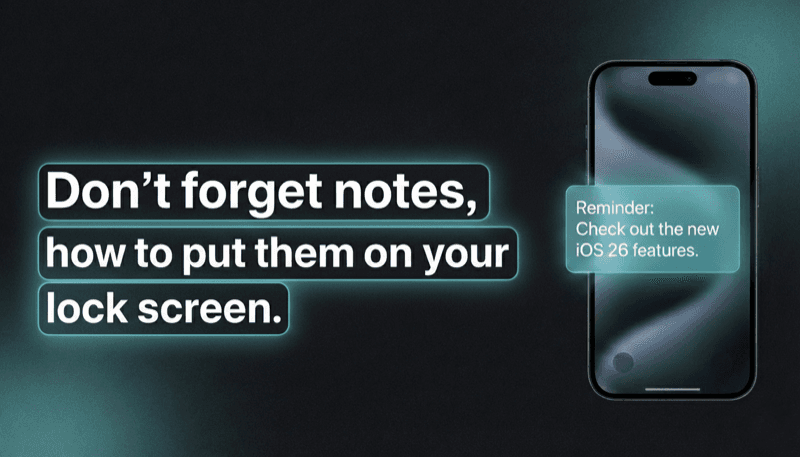
How to Show Reminders on iPhone Lock Screen (Without Notifications)
Want to see your tasks right on your lock screen? Learn how to display reminders on your iPhone lock screen without relying on notification banners.
Unlock Productivity: How to Put Notes on Your iPhone Lock Screen
Want to see your notes, reminders, and goals every time you glance at your iPhone? Learn how to put notes on your iPhone lock screen for maximum productivity!